When it comes to iOS volume HUDs, opinions are all over the place in terms of what it should look like.Appleputs it right in the middle of the screen, while much of the jailbreak community tries to relocate it to the Status Bar, where it’s out of the way of everything.
On the other hand, a new freejailbreak tweakcalledPulseHUDbyZiph0ntakes everything into a completely new realm by displaying a smooth pulse animation in the middle of the screen as you adjust your volume.
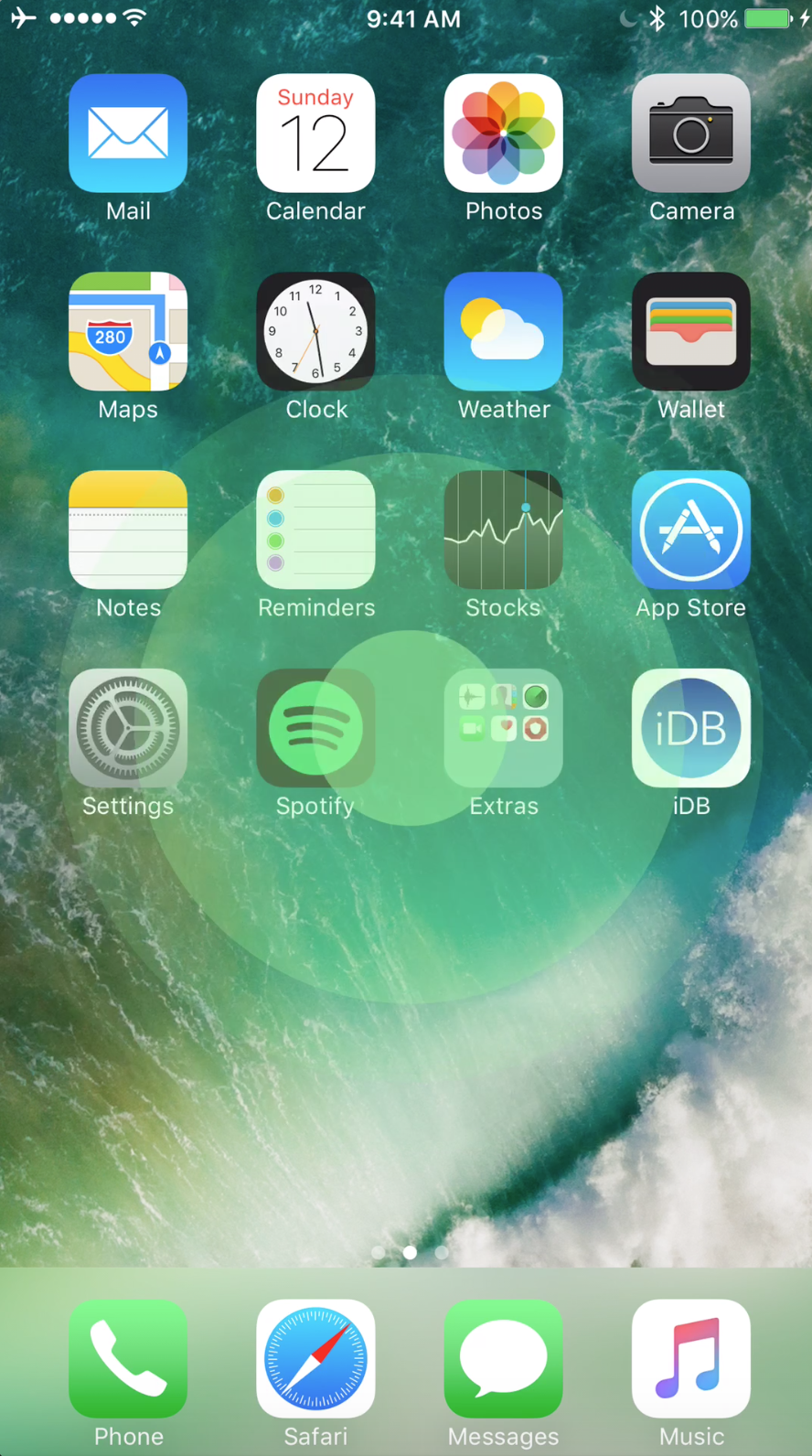
The animatedGIFbelow gives you a representation of what you will see when pressing either the volume up or down button after installation:
The idea behind PulseHUD is to give you something new to look at. It’s not what you’d normally expect to see when pressing your volume buttons, so it’s a nice aesthetic surprise.

For what it’s worth, PulseHUD doesn’t show you any information, so you’re left in the dark in terms of what your volume level is when changing it. On the other hand, PulseHUD is advertised to be “compatible with all other HUD tweaks,” so if you were to install another tweak along with PulseHUD, you could have the best of both worlds…
Paired together with a decentStatus Bar-based volume HUD tweak, PulseHUD can not only look good, but you could still get a representation of your current volume level. There are tons of volume HUD tweaks to pick from, including the following:

PulseHUD is customizable, so when you go the Settings app after installation, you’ll find a new preferences pane for it:
Here, you may toggle the tweak on or off on demand, as well as choose a color for the pulse effect.
If you’re interested in trying PulseHUD, you’re able to download it for free today from Cydia’s BigBoss repository. The tweak is advertised to work on alljailbrokeniOS 7-10 devices.
You might also like:This tweak lets you easily switch between volume types on your iPhone
Do you like the way PulseHUD looks? Share in the comments below.
