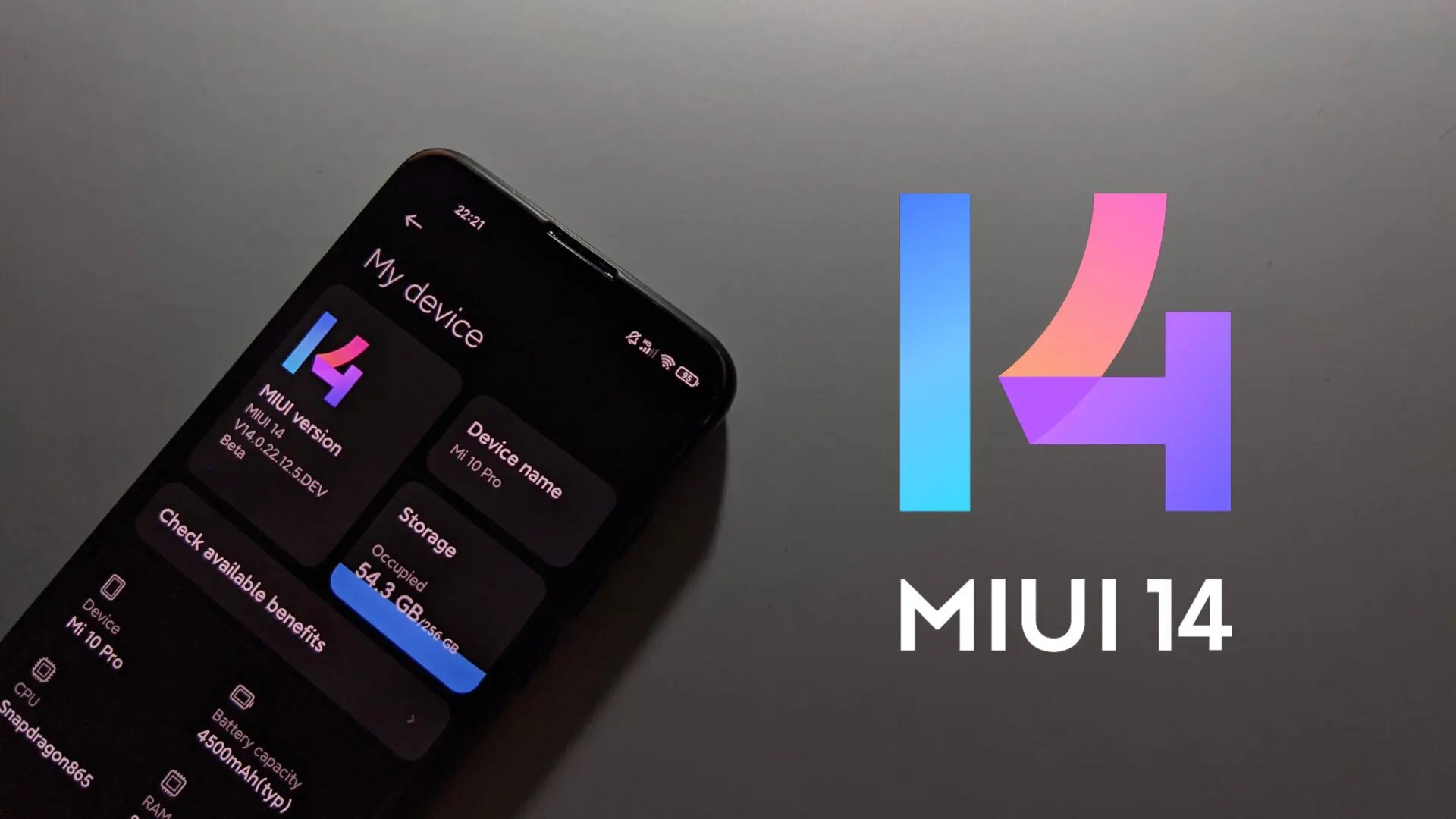
Xiaomi has recently released the MIUI 14 based onAndroid 13. However, the update is only available in China, with the global release scheduled for early 2023. Due to this, many users would have to wait until next year for the new operating system update. However, there is a way to install MIUI 14 on Xiaomi, Redmi, and POCO devices.
The only catch here is that, for now, the update can only be applied to a rooted device. Fortunately, the update is rolling out to a fewXiaomi, Redmi, and POCO devices. Currently, more than 30 devices can install the beta version of MIUI 14: all of which have been listed below.
Devices that can install Beta
Xiaomi Devices With MIUI 14 Beta
Redmi Devices With MIUI 14 Beta
POCO Devices
How to install MIUI 14?
To install MIUI 14, users will need to haveTWRPorOrangeFoxcustom recovery available on their devices. Then they would need to download the beta update suitable for your smartphone model. Users can download the update fromMIUI Downloader.
Shut down your smartphone. Enter recovery mode by holding the volume up and power key together.
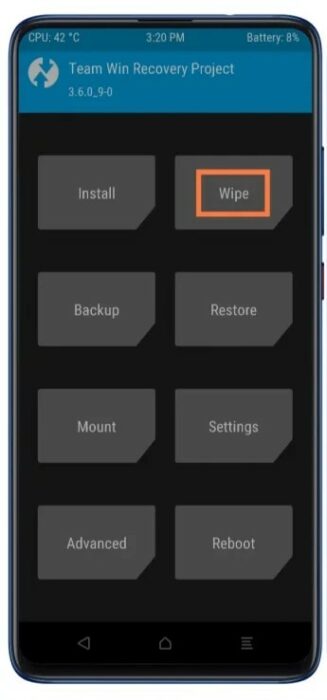
If you are switching ROMs, then you need to format your device. Once the recovery mode opens, selectWipe>Advanced Wipe. Enable the Dalvik/ART cache and Data options. Then Swipe at the bottom of the screen for a wipe.
Go back to the main menu and selectInstall. Find and select the MIUI 14 file you downloaded and select theSwipe to confirm Flashoption.
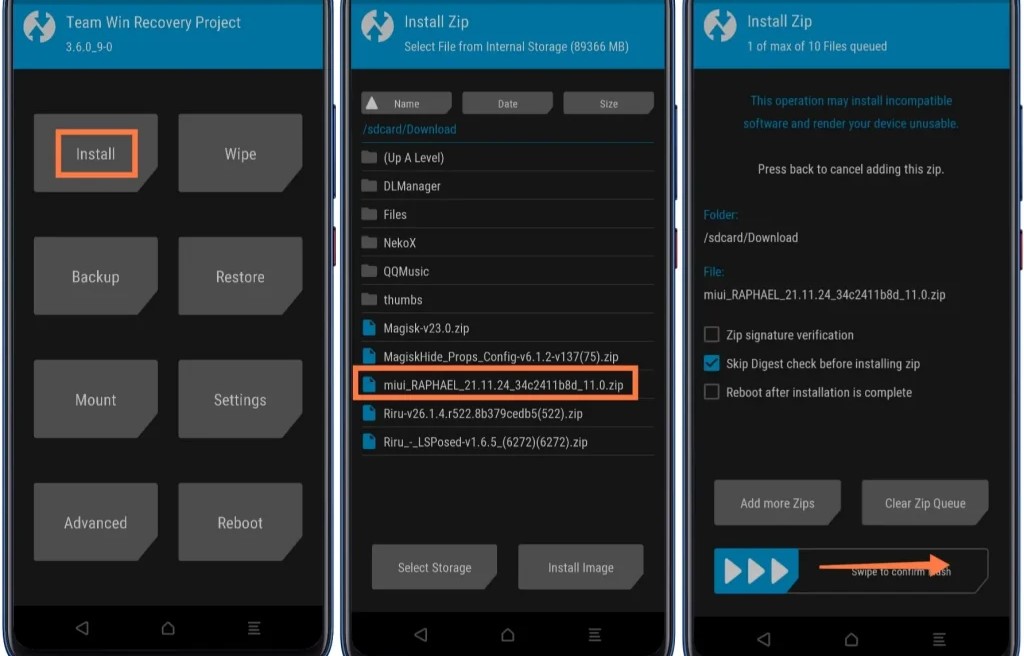
After installing the ROM, select theWipe Dalvikoption. Go back to the main menu and selectAdvanced>Use Magisk to patch Boot.
Finally, select theReboot Systemoption and enjoy MIUI 14 on your Xiaomi, Redmi, and POCO device.
Let us know your thoughts on MIUI 14 in the comment section below.
